Workday Reporting is a powerful tool that provides managers with tailored insights to effectively manage their teams and business operations. By leveraging these reports and dashboards, managers can monitor performance, track trends, analyse turnover rates, and assess candidate engagement.
This guide walks you through key Workday Reporting features and how to use them efficiently.
Editing and Customising Reports and Dashboards
During the Walk stage, managers can:
Copy and edit reports and dashboards provided by Workday.
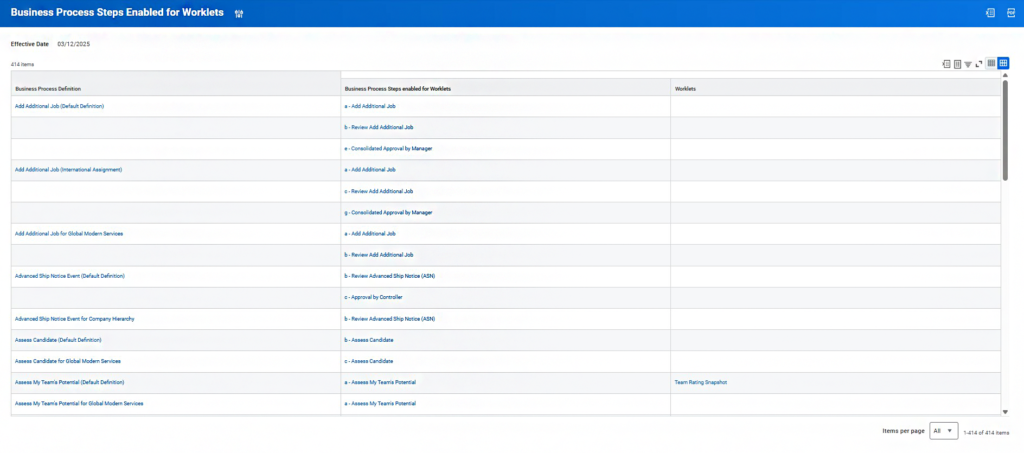
Add worklets to business processes.
Create custom reports and dashboards tailored to specific needs.
These functionalities help managers make informed decisions, provide detailed reports to leadership, and enhance business processes.
Example Report: Time to Fill
The Time to Fill report can be customised to support the recruitment management process. It provides insights into how long it takes to fill a requisition or position. For a requisition to appear in the report, it must have at least one filled position.
The report pulls data from multi-opening and evergreen requisitions.
Data can be visualised using tables, charts, and graphs.
✅ Tip: Use the Candidate Time Per Stage report to determine the average number of days a candidate spent in each stage of a filled requisition.
Assessing Source Effectiveness
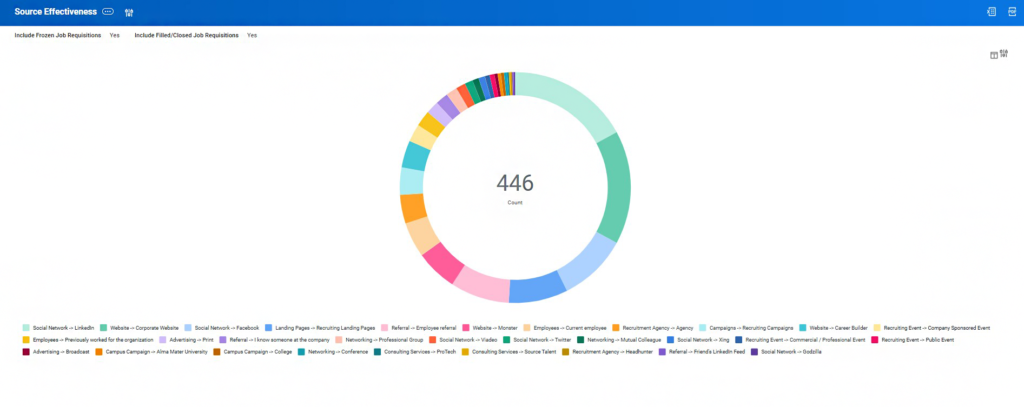
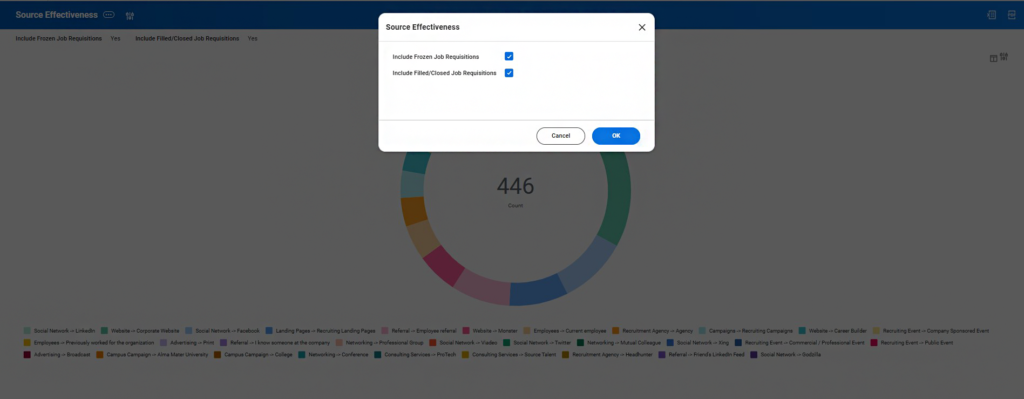
The Source Effectiveness report presents a pie chart displaying recruitment source types and the number of active candidates associated with each source. This information helps managers refine recruitment and communication strategies for better results.
Using Worklets in Business Processes
Worklets provide relevant analytics at key stages of business processes, helping managers make informed decisions efficiently.
Example Use Case
When reviewing a Job Offer, a manager can access Compensation Details for the Job Requisition without leaving their inbox.
Monitoring Employee Experience
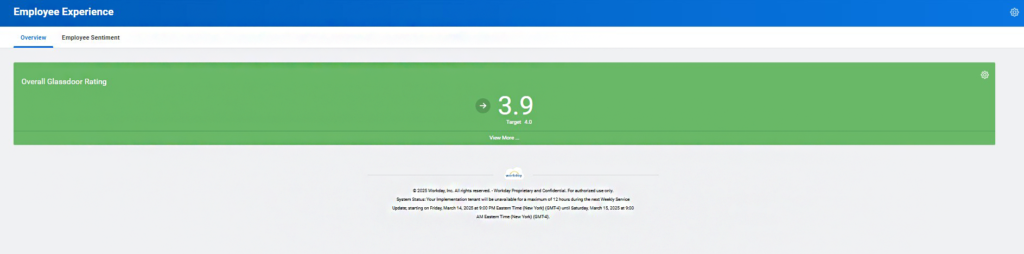
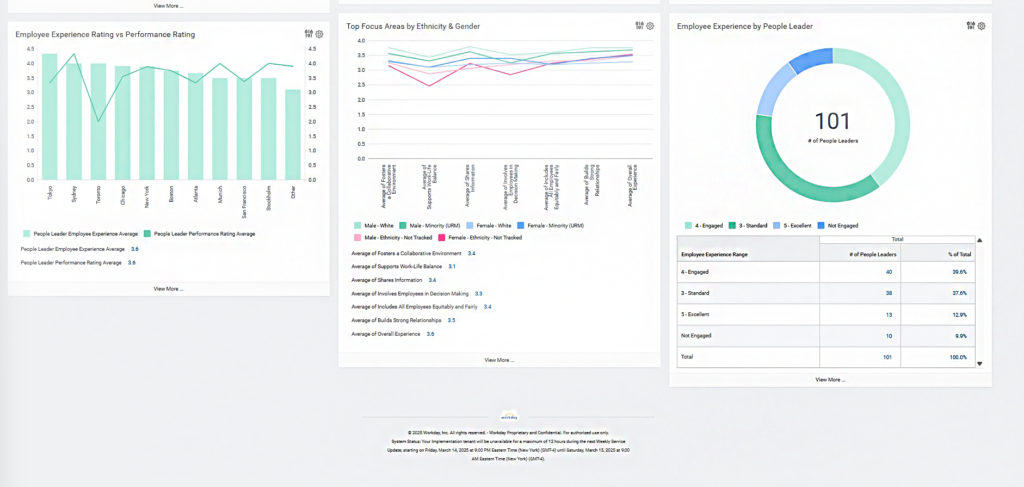
The Employee Experience Dashboard provides customised insights into:
Focus areas.
Experience ratings vs performance ratings.
Employee experience by team leader.
This dashboard enables managers to:
Track employee experience metrics.
Identify engagement and performance gaps.
Develop new strategies for improving retention and satisfaction.
✅ Note: All worklets can be extracted, refreshed, and visualised in multiple graph and table formats.
Managing Time and Scheduling
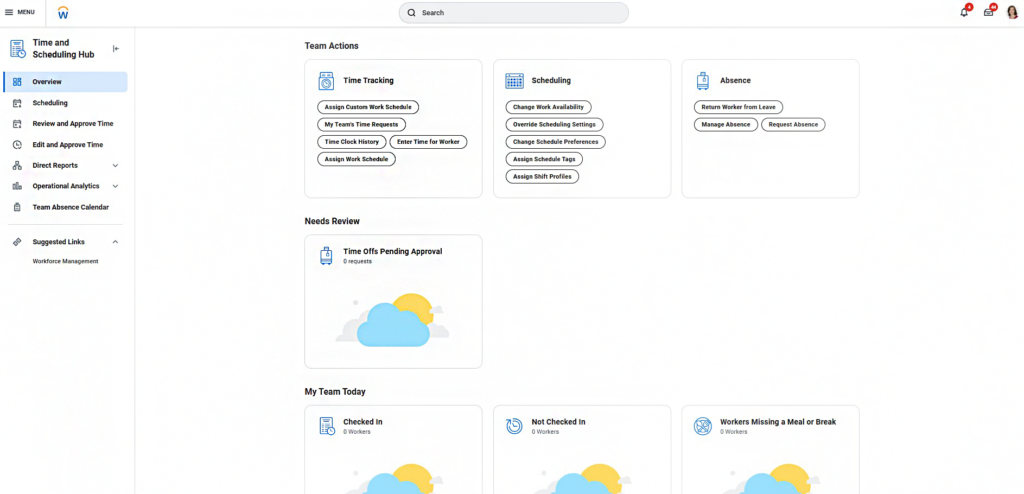
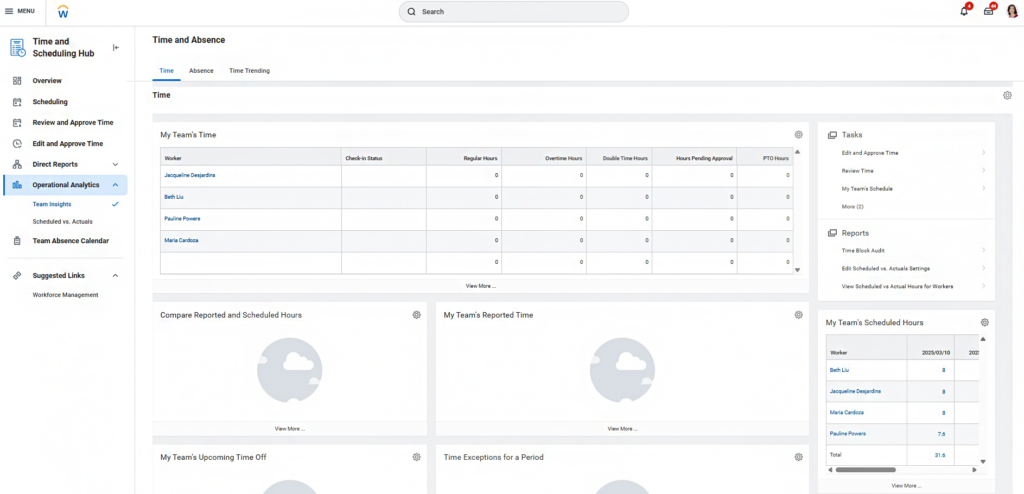
The Time and Scheduling Hub is a centralised platform that allows managers to oversee daily operations and access team information related to Time Tracking, Absence Management, and Workday Scheduling.
Key Features of the Hub
Home Page – Can be configured with additional cards.
Schedule Workers Task – Assign and modify work schedules.
Review Time Report – Analyse team time tracking data.
Edit and Approve Time Report – Manage time approvals efficiently.
Direct Reports Section – View individual workers’ time and scheduling data.
Operational Analytics Section – Includes the Team Insights Dashboard and Scheduled vs. Actuals Report.
Team Absence Calendar – Monitor team absences and plan workloads effectively.
Absence Management Capabilities
Absence Management tools within the Time and Scheduling Hub allow managers to:
Access reports and direct tasks related to individual and team absences.
Gain insights into global absence trends.
Take key actions to optimise workforce availability.
Conclusion
Workday Reports and Dashboards are essential for managers across various departments, enabling them to access customised insights, improve decision-making, and communicate effectively with leadership. By utilising features such as:
Custom report/dashboard creation,
Job requisition fill-time analysis,
Recruitment source effectiveness tracking,
Absence and scheduling management,
Worklet integration into business processes,
Managers can enhance team performance, engagement, and retention strategies.
Start optimising your Workday experience today! Contact us.
Receive the latest insights on HR & Finance Tech solutions.
2026R2 release continues to strengthen Workday Adaptive Planning with enhancements to improve efficiency, increase visibility, & make informed decisions.
This website uses cookies to improve your experience while you navigate through the website. Out of these, the cookies that are categorized as necessary are stored on your browser as they are essential for the working of basic functionalities of the website. We also use third-party cookies that help us analyze and understand how you use this website. These cookies will be stored in your browser only with your consent. You also have the option to opt-out of these cookies. But opting out of some of these cookies may affect your browsing experience.
Necessary cookies are absolutely essential for the website to function properly. This category only includes cookies that ensures basic functionalities and security features of the website. These cookies do not store any personal information.
Any cookies that may not be particularly necessary for the website to function and is used specifically to collect user personal data via analytics, ads, other embedded contents are termed as non-necessary cookies. It is mandatory to procure user consent prior to running these cookies on your website.