Table of Contents
As an Analyst or Report Writer, creating insightful, reliable, and optimised reports is critical to delivering value across the organisation. The first stage of the Crawl-Walk-Run journey focuses on laying the groundwork for developing reports that drive business success.
With Workday, you have the tools to develop reports and dashboards that empower decision-making. This guide will help maximise your impact through best practices, key considerations, and helpful resources.
When developing reports and dashboards in Workday, be sure to follow these key steps:
- Set clear reporting requirements with users.
Collaborate closely with stakeholders to understand their needs. - Maximise Workday-delivered reports and dashboards.
Before building new reports, check what’s already available to avoid duplication. - Consider report performance and optimisation.
Review how your report design impacts system performance and make adjustments as needed. - Be aware of reporting limits.
Review Workday’s guidelines to ensure your reports stay within performance thresholds. - Check user security access levels.
Ensure users have the right permissions to view or run reports. - Provide proper user acceptance testing (UAT) and guidance.
Test reports with users and provide documentation or training where needed. - Complete post-implementation checks.
Monitor reports once live to catch any issues early.

2. Run the report as usual.
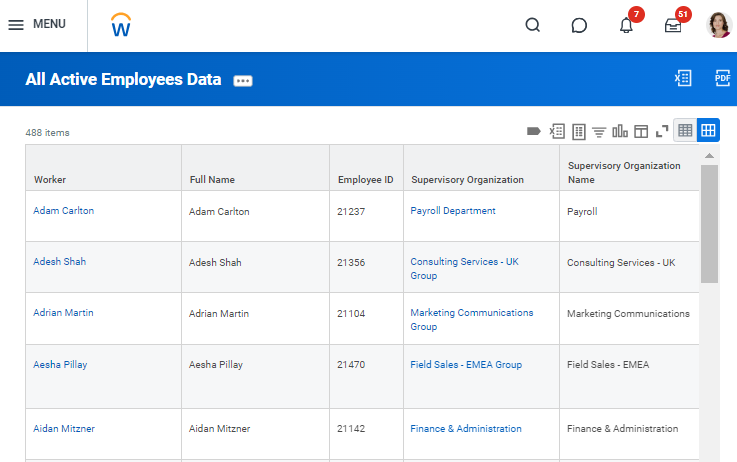
3. Access the View Report Performance Logs report:
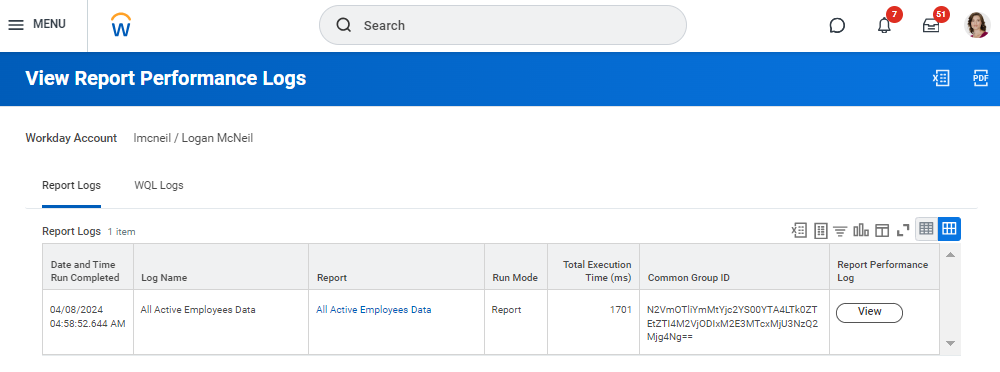
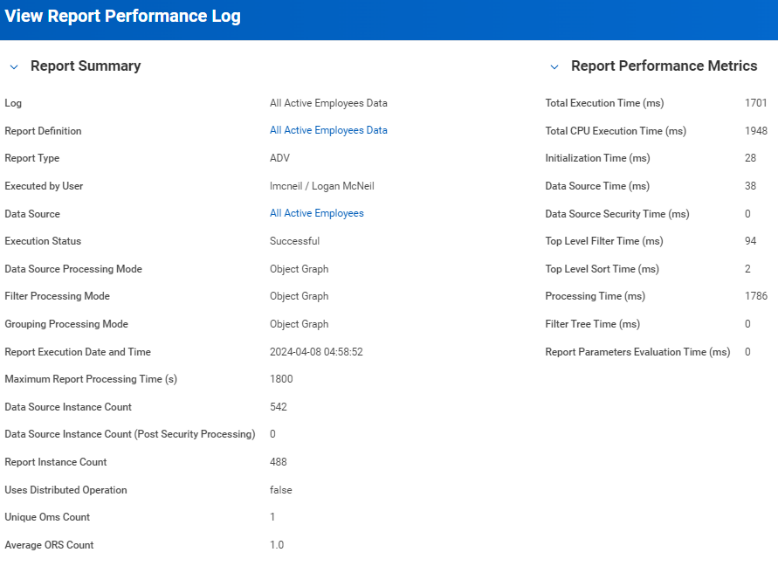
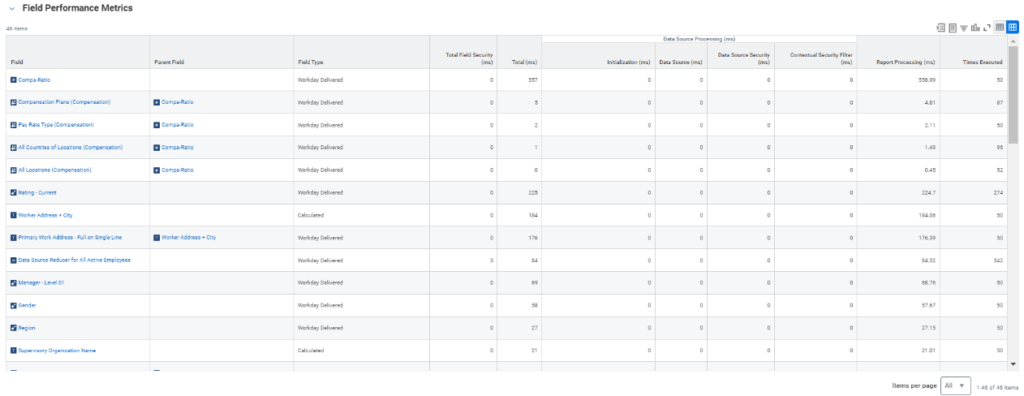
- Review performance details, including overall metrics and individual field performance.
Managing Reports with the Report Administrator Dashboard
The Report Administrator Dashboard helps administrators monitor and manage reports. It provides visibility into:
- Recently updated calculated fields.
- Recently created and modified reports.
- Custom reports not run.
- Custom report exceptions by owner.
- Scheduled reports that will fail.
- Slowest reports run in the background.

Community Links:
To make your reports as impactful as possible, follow these best practices:
Collaborate with end-users.
- Identify your target stakeholders (e.g., Reporting Manager).
- Hold regular meetings to align on requirements.
- Share Workday’s capabilities to manage expectations.
- Adapt reports to real-world user needs and ensure proper access is in place.
Provide user testing and support.
- Conduct thorough User Acceptance Testing (UAT).
- Offer guidance and training on how to use reports.
Maintain a glossary of terms.
- Define common terms and metrics found in reports to ensure clarity.
- This supports long-term maintenance and clear communication.
There are materials in Workday Community that may support you in this step, for example, the Reporting Foundation Community Guide.
Conclusion
As an analyst, your work is vital in turning data into decisions. With Workday’s reporting tools and dashboards, you can deliver accurate, meaningful insights that empower stakeholders across the business.
By applying best practices, collaborating with users, and optimising performance, you can ensure your reports drive real value, helping teams stay informed, agile, and aligned.
Explore your dashboards, refine your reports, and make every insight count. Contact us today for expert support in making your reports work harder for your business.